

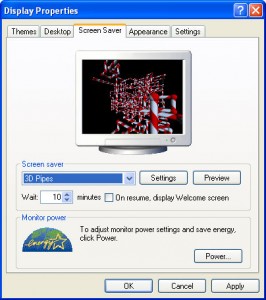
Cool Windows XP Easter Egg: Turn Your ScreenSaver Into Candy Canes
Here is Windows XP Easter Egg that turns the 3D Pipe Screensaver Into Candy Canes!
- Open Your ScreenSavers
- Select 3D Pipes
- Select Settings
- Beside Textured, Select Choose Texture
- Now Select Cancel
- Press Preview and watch the Candy Canes dance 🙂
X
Your free template will download in 5 seconds.
Check out this offer while you wait!
Check out this offer while you wait!
This is not quite right. Exact instructions are:
* Open Your ScreenSavers
* Select 3D Pipes
* Select Settings
* Beside Textured, Select Choose Texture
* Now Select Cancel (on file selection form)
* Now Select OK (on Settings form)
* Press Preview and watch the Candy Canes dance 🙂
Thanks!